Booking amount and advance
A booking amount is money a customer pays when they send the request, before anybody visits. Your customers see it called booking amount; your office sees advance, which is the same money.
Deciding who pays it
Section titled “Deciding who pays it”On the Money page of the portal settings:
- Service prices — whether the customer sees prices at all. This is the estimate before the visit; invoices are not affected either way.
- Booking fee — who pays: nobody, guests only, everyone except contract requests, or everyone including them.
- Amount — a fixed figure, a percentage of the estimate, or both. Where both are set, the larger is asked. A percentage only works while prices are shown.
- Asked on these request forms — tick the forms that should ask. A booking form yes, a price enquiry no. With nothing ticked, every form asks.
- Invoices — whether invoices appear in the portal at all.
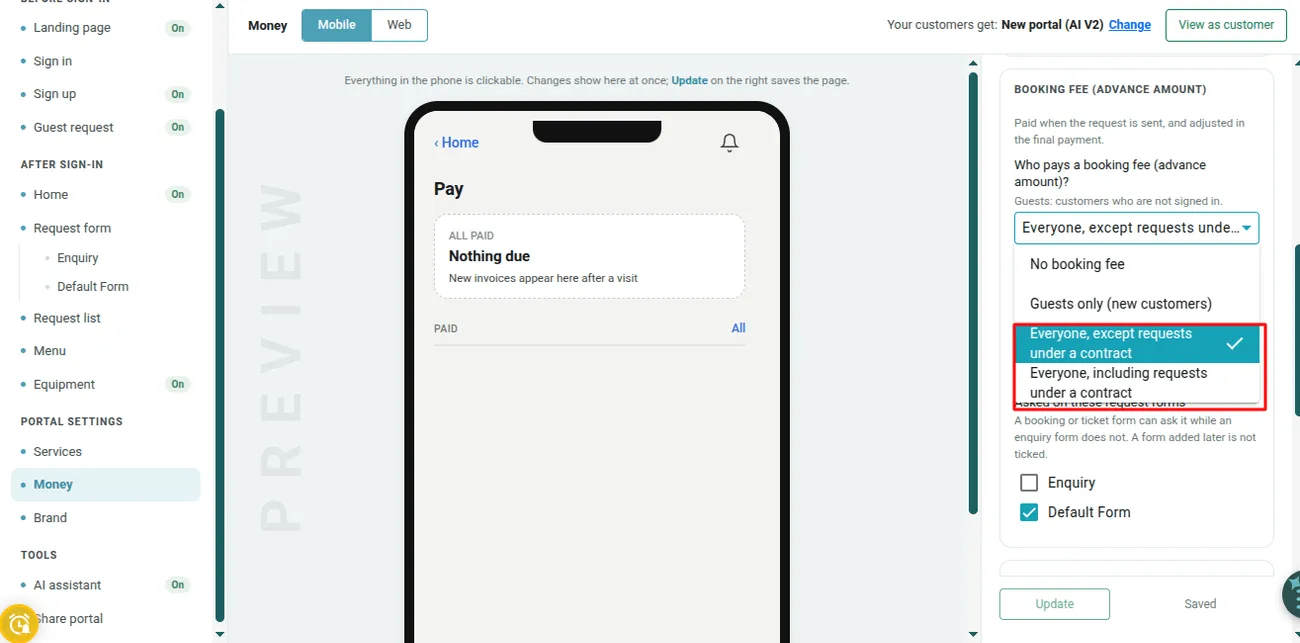
Settings → Customer Portal AI V2 → Money
A payment gateway is required. With neither Stripe nor PayPal connected the fields are greyed out and no booking amount is asked, because there would be no way to take it.
What a request actually asks
Section titled “What a request actually asks”The amount is worked out when the request is sent, from the settings as they stand at that moment, and saved onto that request. Change the Money page afterwards and requests already sent keep what they were sent with.
Nothing is asked when there is no gateway, when the request has no service on it, when the form is not ticked, when the setting is guests-only and the customer is signed in, or when the request is under a contract and contract requests are exempt.
Requests raised anywhere else never ask for one — in Admin, from the website widget, from Zapier, or from the old portal. The booking amount belongs to the portal’s own flow. To take money on one of those, use Advance Pay on the request in the usual way.
Once a job or a quote has been made from the request, the booking amount stops being asked. From then on the money goes through the job’s invoice or the quote.
What your office sees
Section titled “What your office sees”On the request list, Advance Paid sits beside the number of a request that came in with money. A request that asked for one and has not been paid shows Booking amount not paid · ‹amount› beside its status — which is information, not a block. Whether you send somebody anyway is your call.
The request’s cart carries three lines:
| Line | What it means |
|---|---|
| Advance received with this request | What came in with this request. It may since have been spent on another invoice. |
| Client’s advance balance now | What the client has left today. |
| Remaining | The total, less the part of this request’s advance that is still in the balance. |
A request for 500 takes 100 as a booking amount, and Remaining reads 400. If that 100 is later settled against a different invoice, the same request reads Advance received 100 · Client’s balance now 0 · Remaining 500 — because the money is no longer there to put against it.
Where the money goes
Section titled “Where the money goes”Every advance, whether it came from the portal or from Advance Pay in the office, goes into the client’s advance balance — one pot per client, not one per request.
It is used by choosing Settle From Advance Amount when you record payment on any invoice for that client. An invoice does not help itself to the balance; somebody decides which bill the money pays.
A guest’s advance is held without a client until you save the client from their request, and then it moves into that client’s balance.