Guest requests
A guest is somebody who sends a request without an account — a new customer who found your portal and wants work done. Whether they can is switched on at Guest request in the portal settings.
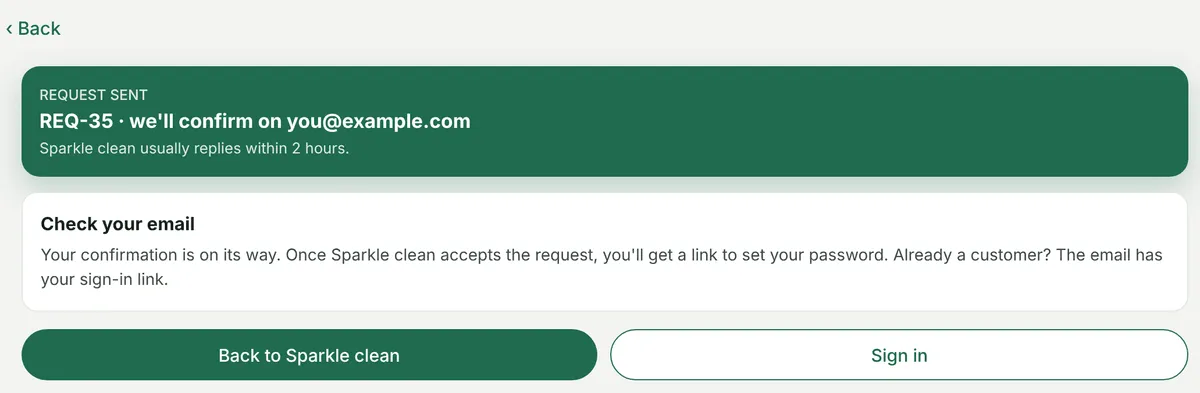
The portal → Request sent
What happens when one arrives
Section titled “What happens when one arrives”- The request lands in Requests, with the client shown as not saved yet.
- Every admin and super admin gets a bell notification.
- The guest is emailed “We have received your request” with the request number.
- When you save the client from that request, the contact is given portal access and a Set your password email — once.
The email the guest gets depends on who they turn out to be. If the address belongs to a contact who already uses your portal, it carries a sign-in link and their user ID. Otherwise it says a password link will follow once you have accepted the request.
A booking amount can be asked of a guest — the Request sent page then carries Pay with Stripe or PayPal, and reads “Booking amount paid” once they have. See booking amount.
Guests and the money
Section titled “Guests and the money”A guest has no client record yet, so their payment is held without a client. The moment you save the client from the request, it moves into that client’s advance balance and can be used on any invoice.
Nothing is lost by taking the money before you have set the client up, which is the point.