The portal landing page
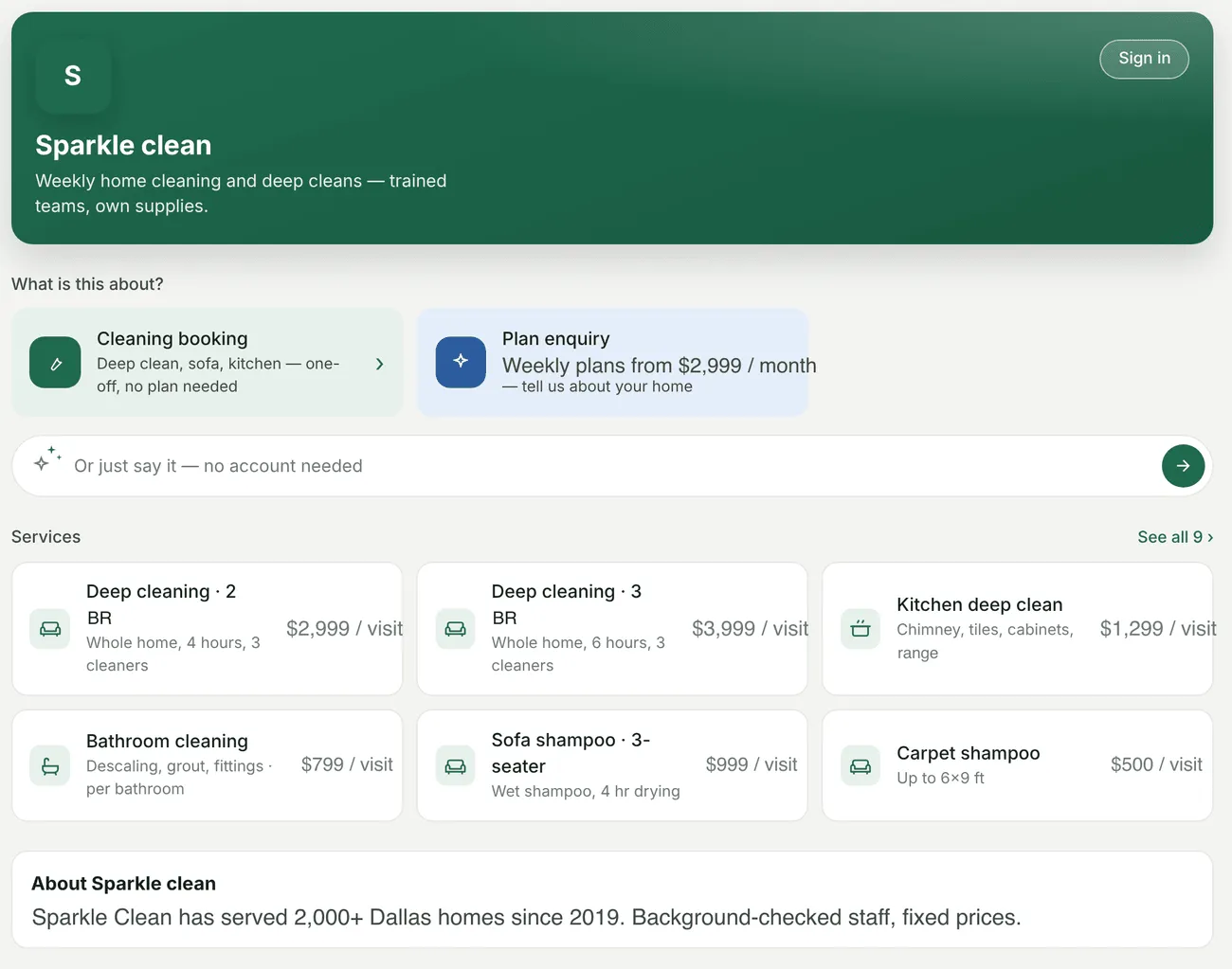
The landing page is the portal before anybody signs in. It carries your name, logo and tagline, the request forms a visitor can use, the Say what you need box, your Services, About us, Contact, and Sign in.
The portal landing page
Whether it is public at all is yours to choose, on the Landing page settings.
The services on it
Section titled “The services on it”The page shows the first few services and then See all N › for the rest. How many depends on the screen — four on a phone, six on a wide one — so the rows always come out full rather than leaving a gap.
A service shows its own picture where you have given it one. Upload an image against a job type or service and the portal uses it — on the landing page, in the services list, and on the services step of a new request. Without one, it falls back to an icon.
That is worth doing for the services you sell most. A photograph of the actual work reads as a company that does it, where an icon reads as a form.
What a visitor can do
Section titled “What a visitor can do”- Send a request without an account, if guest requests are switched on
- Say what they need in their own words, and let the assistant fill the request in
- Sign in, or ask for a password if they have an account but have never used it
- Create an account, where sign-up is offered — see signing in