How do I delete a Request?
Select the request that you want to delete.
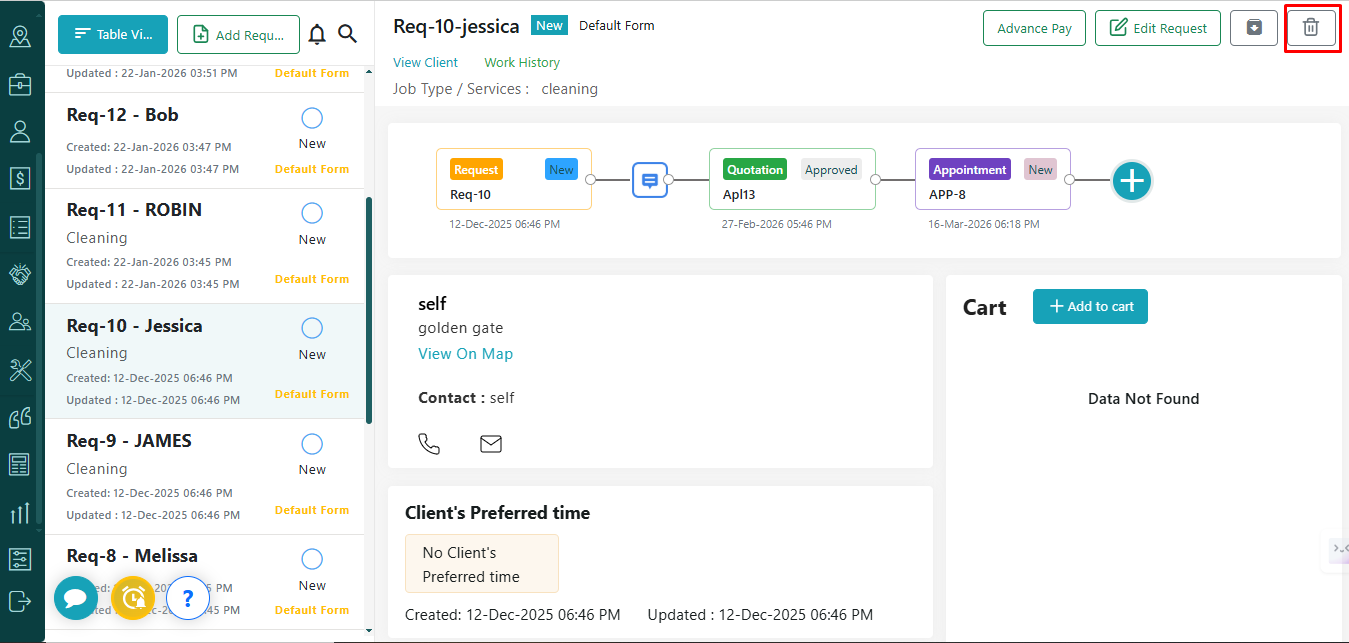
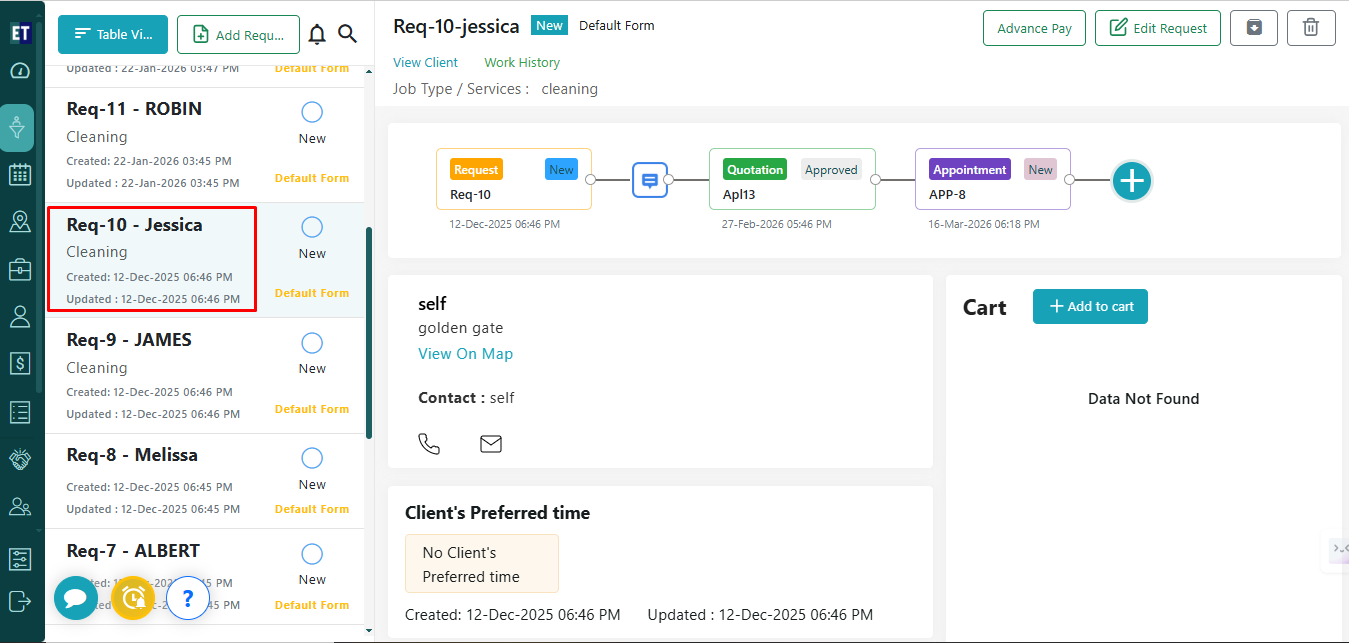 You will see the Delete icon at the right corner of the screen.
 Clicking on the delete icon will show you the pop up.
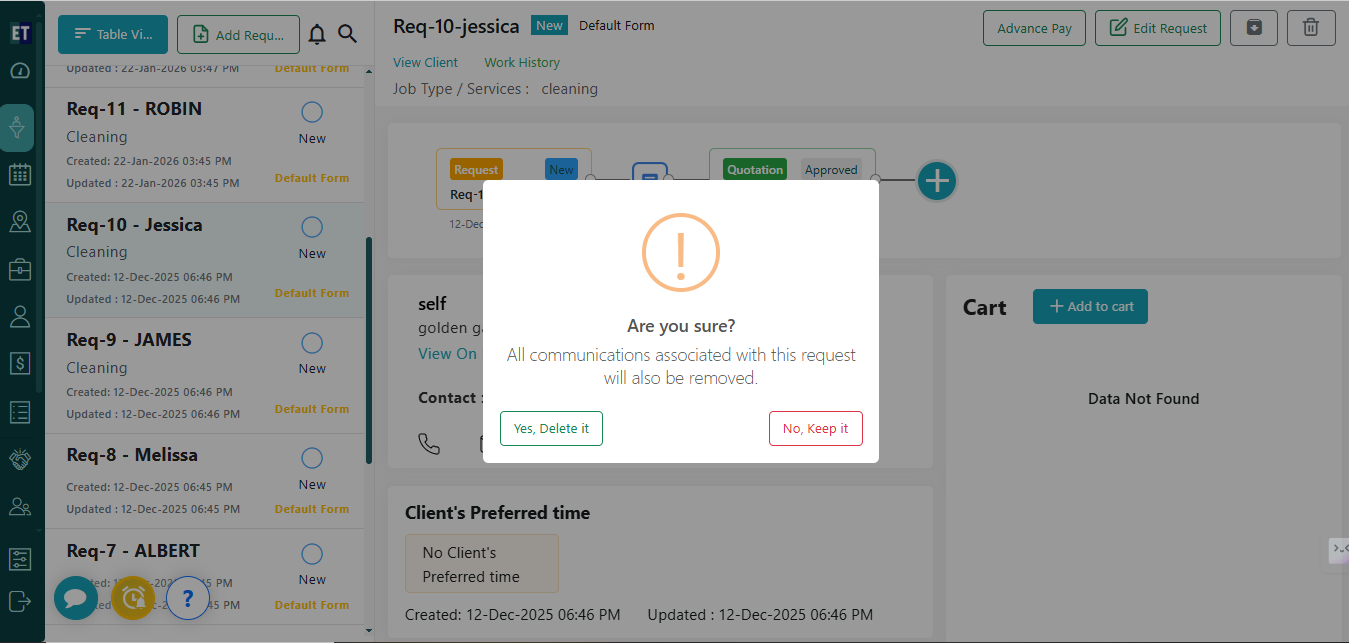 Select Yes, Delete it, and if the selected request is already in use, it will give you an error message.
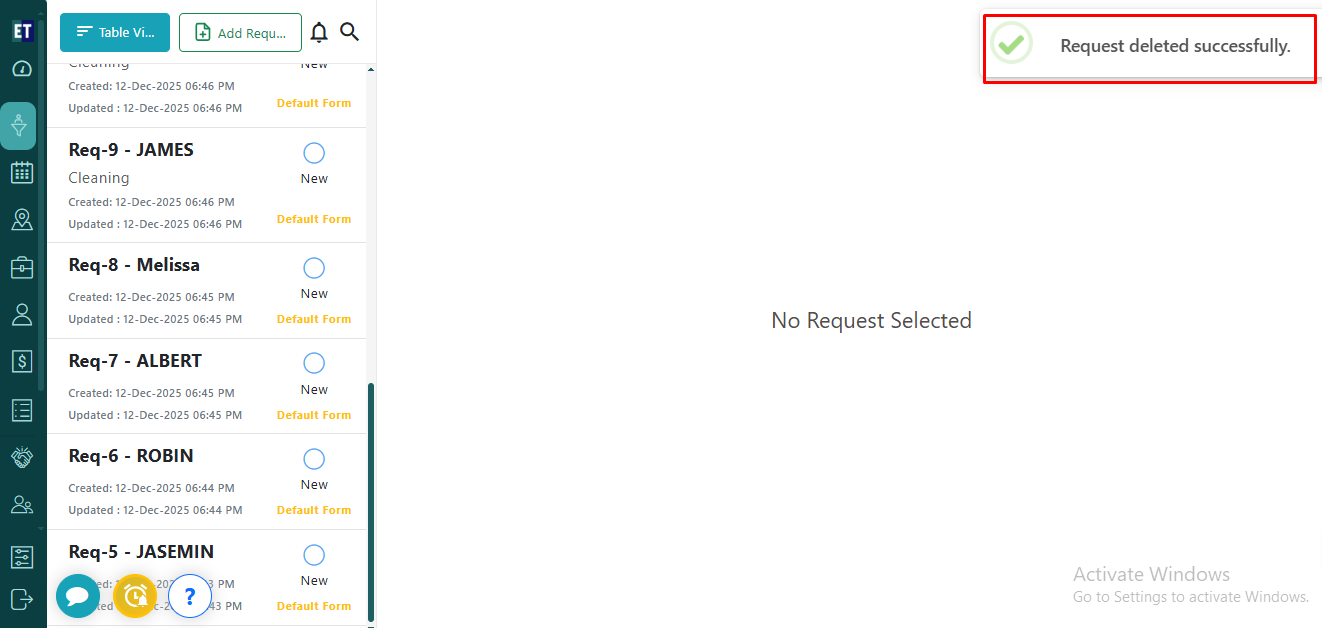
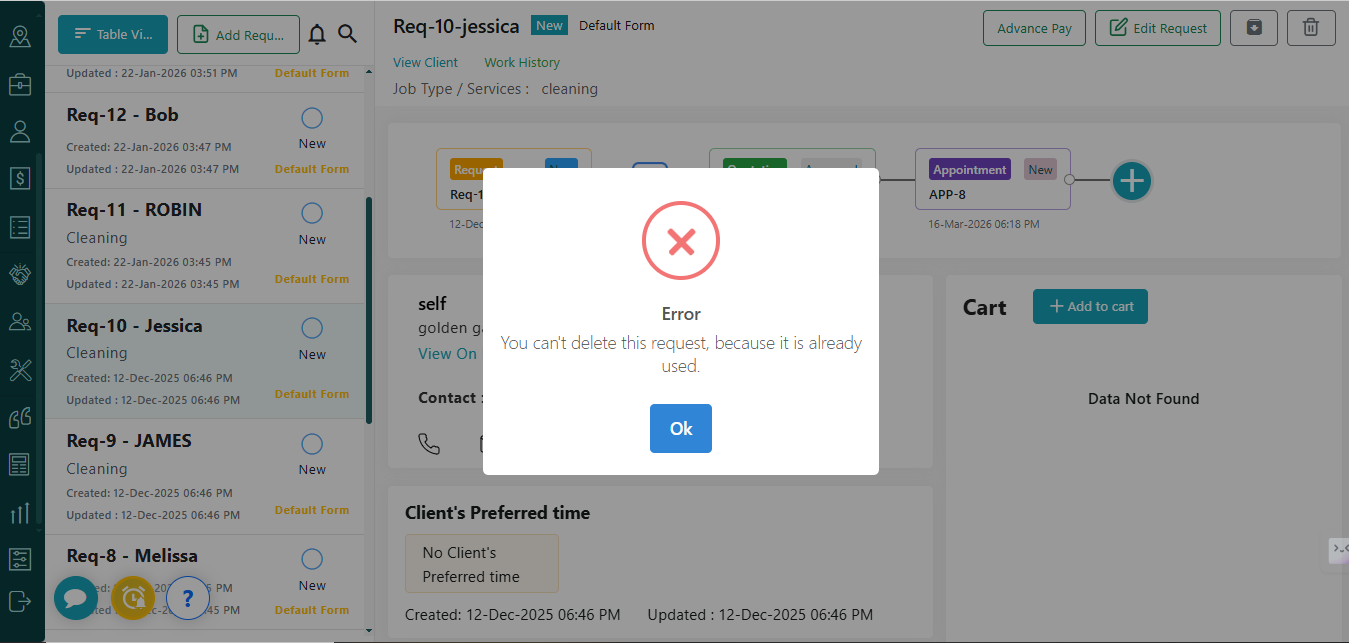 If the request is not associated with any job, appointment, quote or audit, it can be deleted easily. A success alert will be displayed to confirm that the request has been deleted successfully.
You will see the Delete icon at the right corner of the screen.
Clicking on the delete icon will show you the pop up.
Select Yes, Delete it, and if the selected request is already in use, it will give you an error message.
If the request is not associated with any job, appointment, quote or audit, it can be deleted easily. A success alert will be displayed to confirm that the request has been deleted successfully.