How do I schedule an unscheduled Appointment?
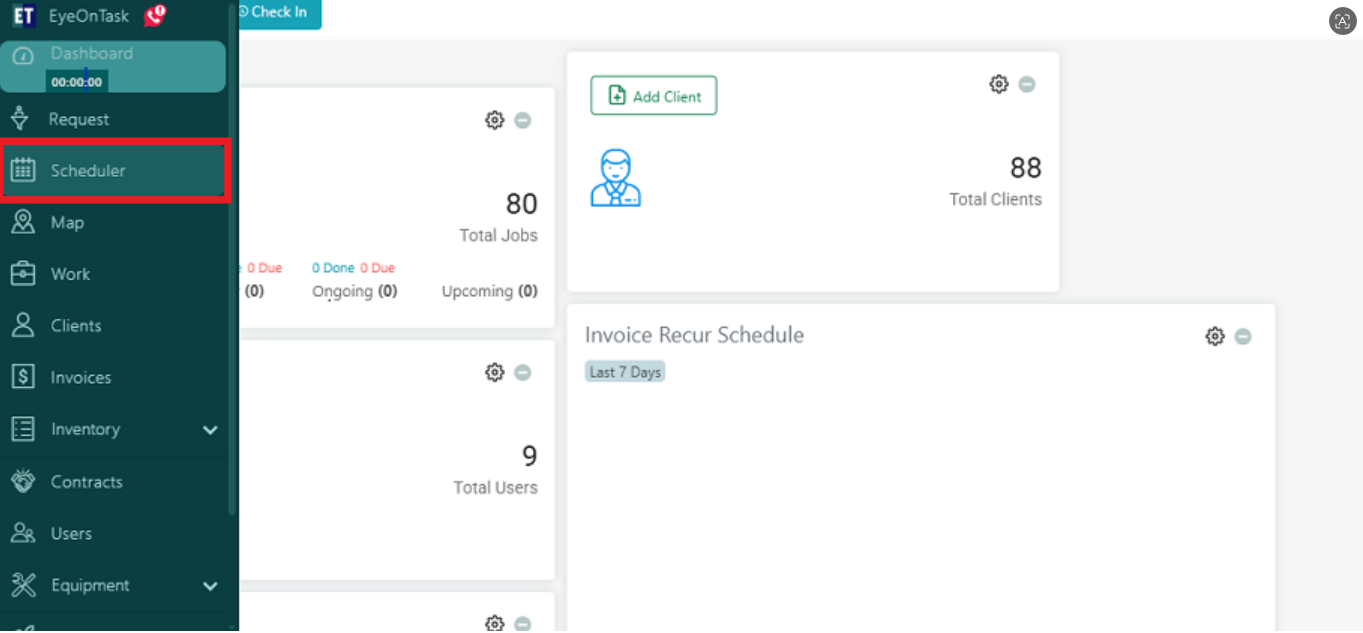
Go to the Scheduler Menu from the Main menu.
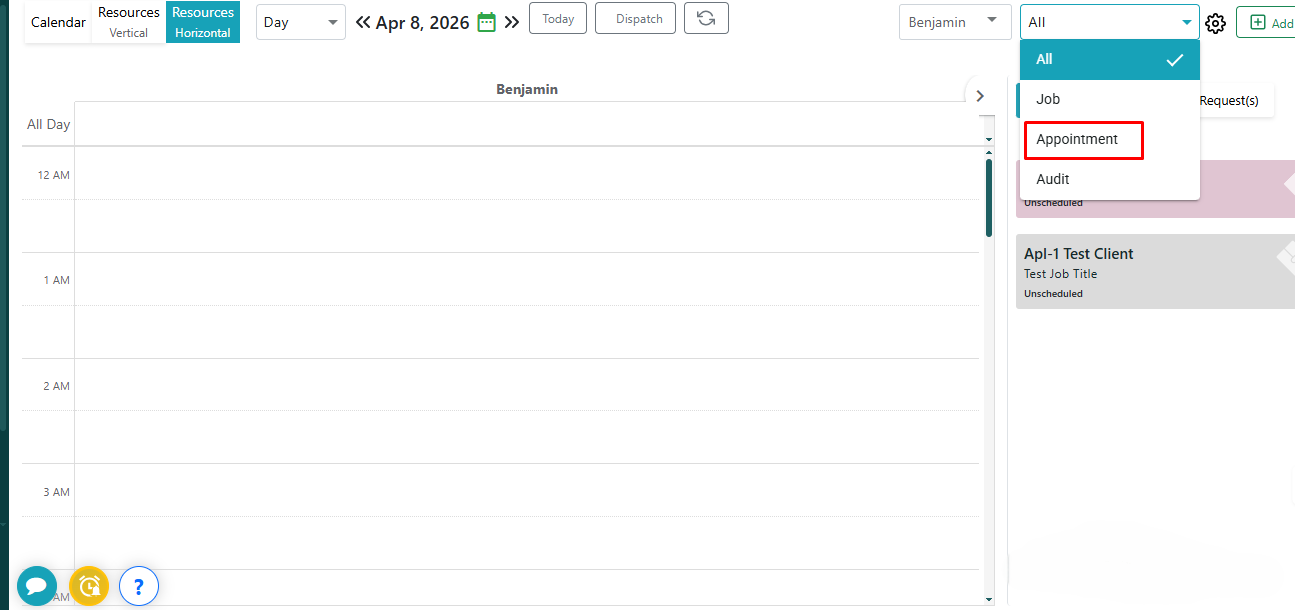
 Then you will find a dropdown at the top right side of the screen, select Appointment.
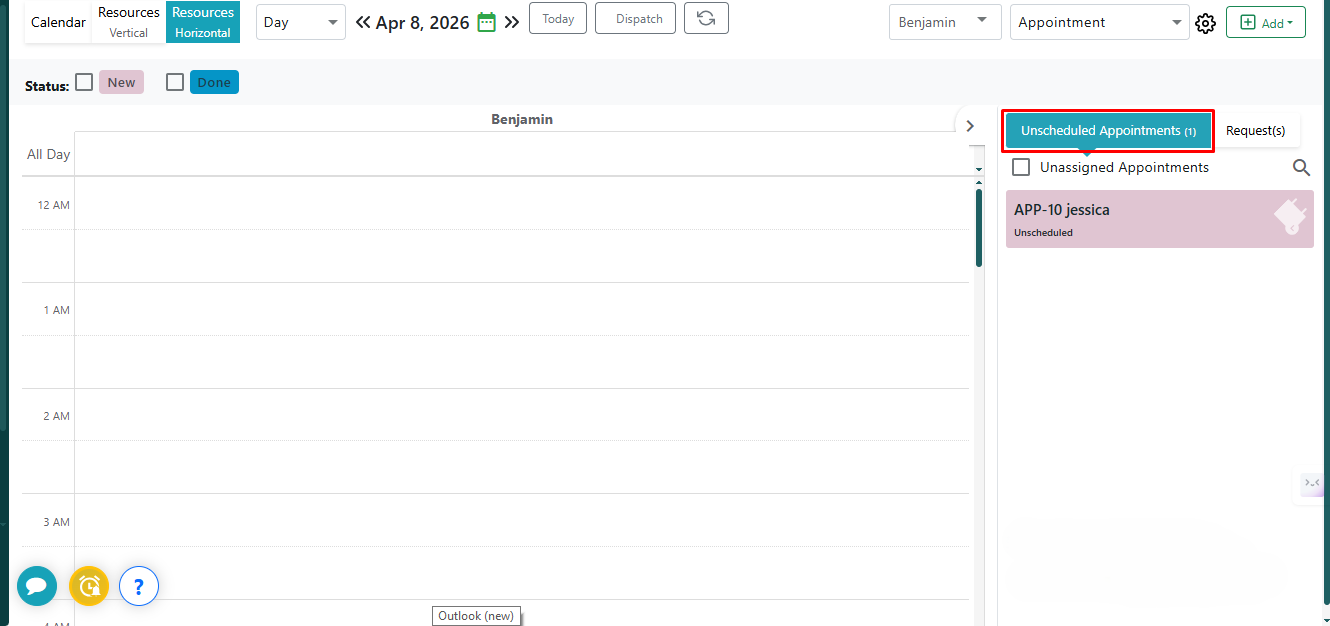
 On the right panel, click on “Unscheduled Appointments”. The list will display all pending appointments (e.g., APP-10 Jessica).
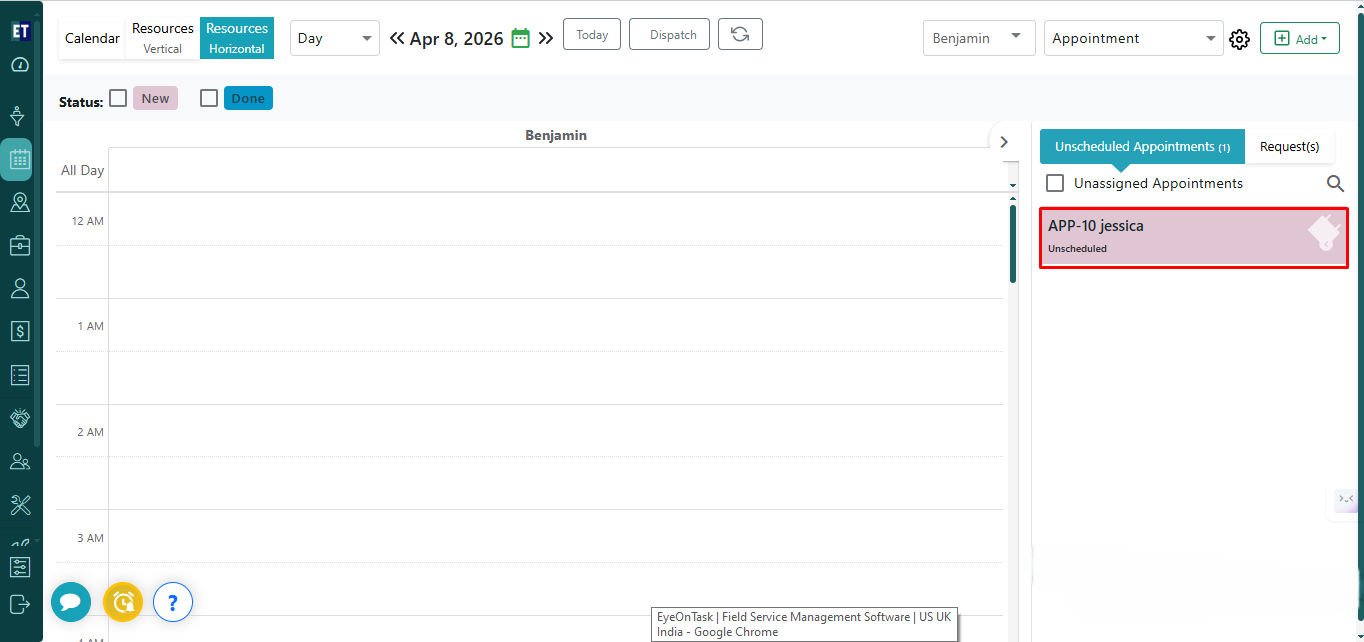
 Drag the required appointment from the Unscheduled Appointments panel and drop it into the desired time slot on the calendar.
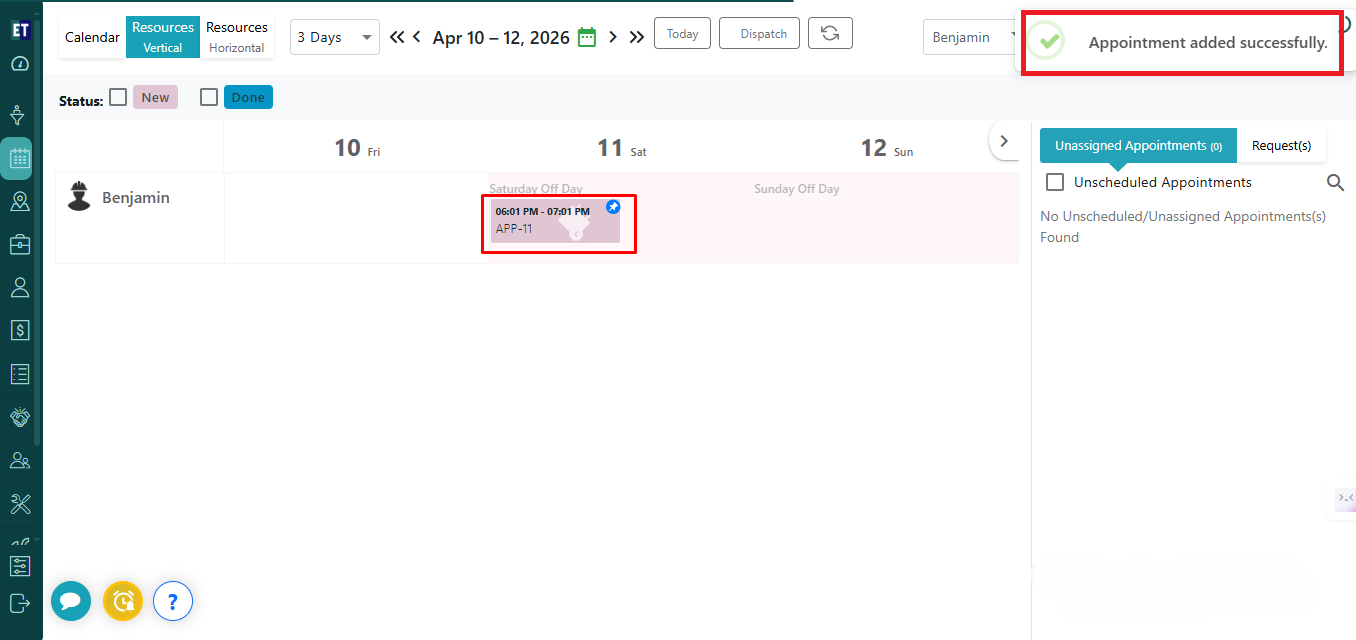
 The appointment will be placed on the calendar at the selected time. It will no longer appear in the Unscheduled Appointments list and success alert “Appointment updated successfully.” will appear on the right side of the screen.
Then you will find a dropdown at the top right side of the screen, select Appointment.
On the right panel, click on “Unscheduled Appointments”. The list will display all pending appointments (e.g., APP-10 Jessica).
Drag the required appointment from the Unscheduled Appointments panel and drop it into the desired time slot on the calendar.
The appointment will be placed on the calendar at the selected time. It will no longer appear in the Unscheduled Appointments list and success alert “Appointment updated successfully.” will appear on the right side of the screen.
Success alert means your unscheduled appointment is now scheduled.