How do I set or manage Request status?
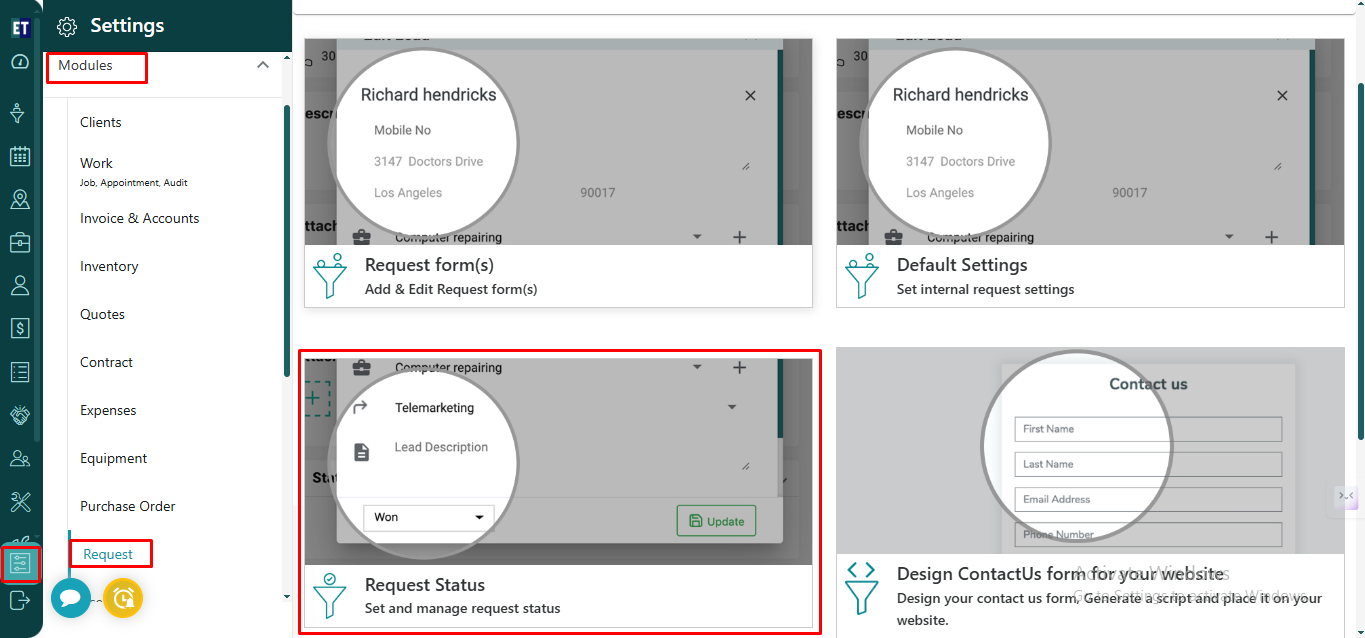
Go to the main menu and you will see the Settings option. Select it. After selecting the Settings option Select Modules and then select Request.
Here, you will find three options to set different Request related settings.
Go to the Third option - “Request Status”.
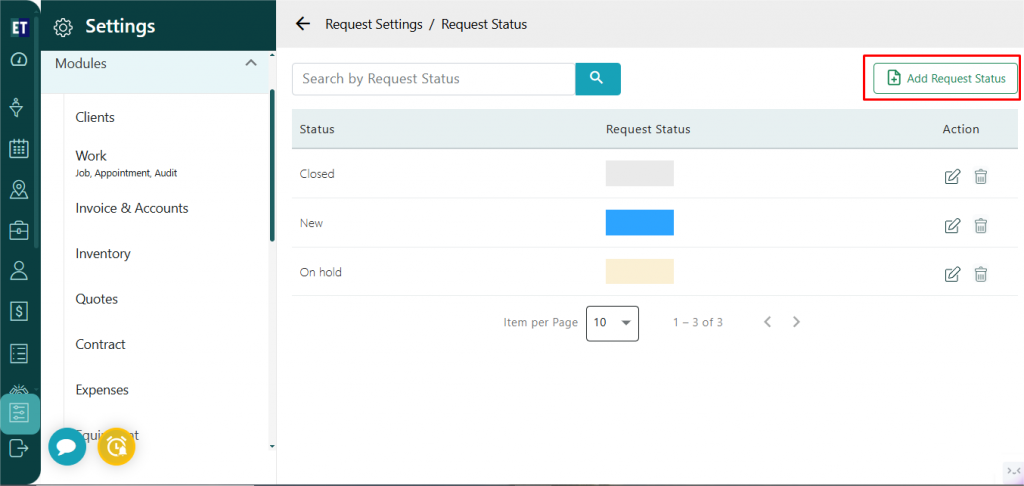
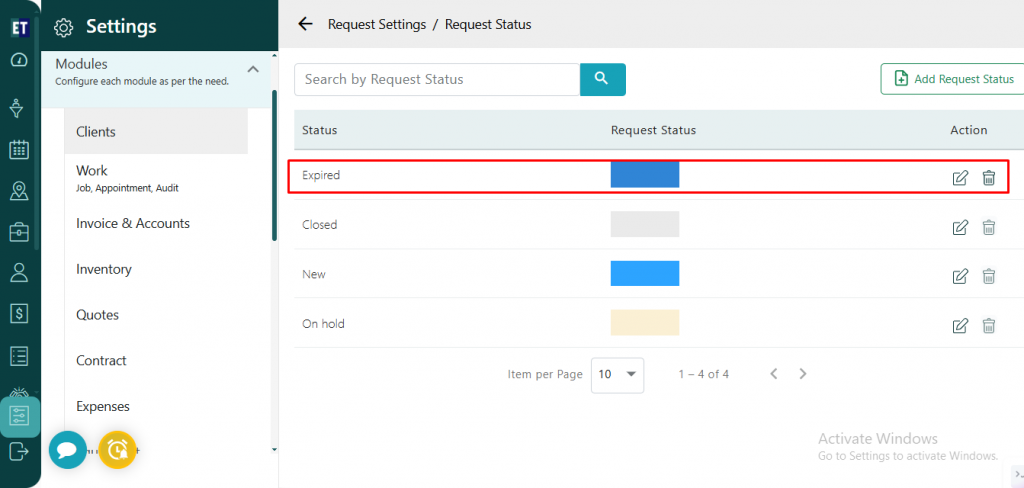
 To create a new request status, click on Add Request Status available in the top-right corner of the screen.
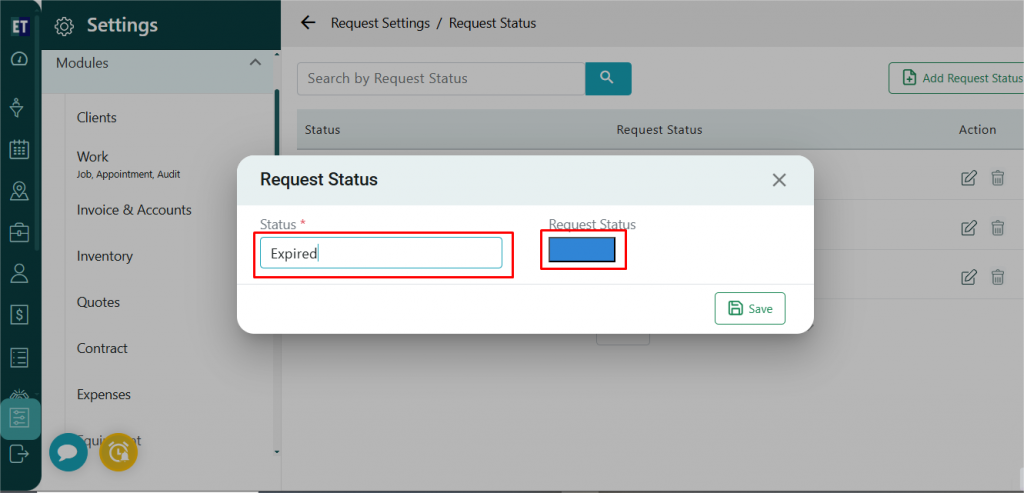
 Enter the desired status name, and if you want to assign a color to the status, select it from the color picker.
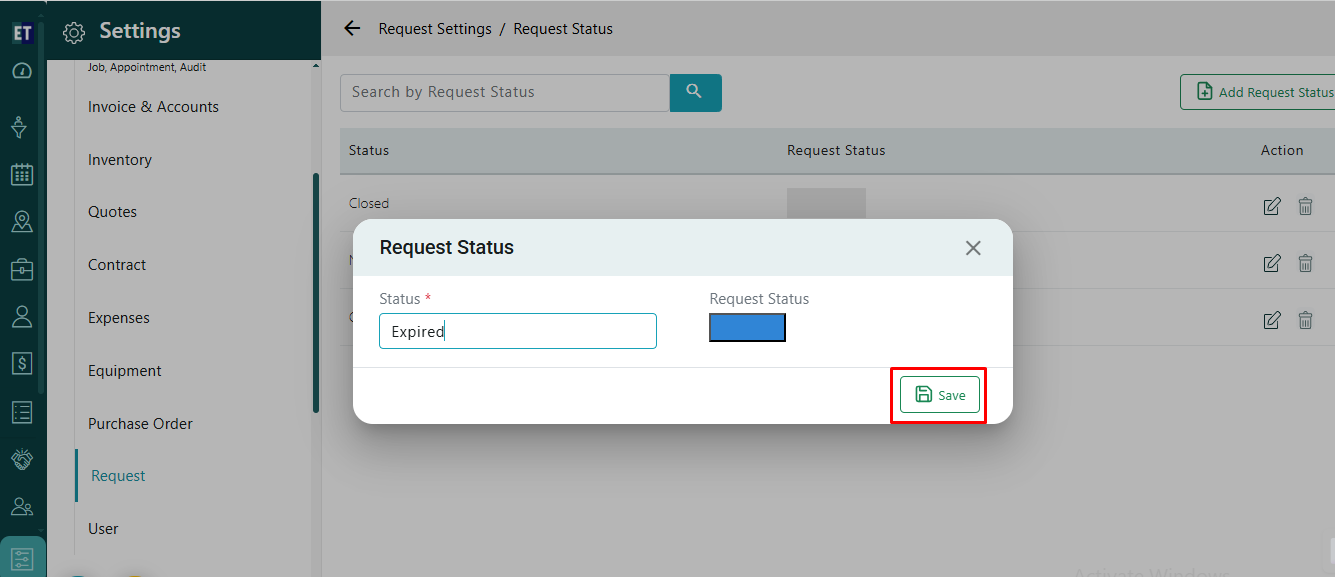
 And save it.
 After saving, you can see the status is listed.
To create a new request status, click on Add Request Status available in the top-right corner of the screen.
Enter the desired status name, and if you want to assign a color to the status, select it from the color picker.
And save it.
After saving, you can see the status is listed.